Real Monero engine
The Monero Project’s own C++ wallet code, compiled to WebAssembly via monero-ts, creates keys, scans blocks and signs transactions — not a simplified imitation.
Version 2.3.0 · open source · MIT
A full Monero wallet as a Chrome extension. Keys are created, encrypted and used for signing on your device — the real Monero engine runs locally in WebAssembly. No accounts, no servers, no tracking.
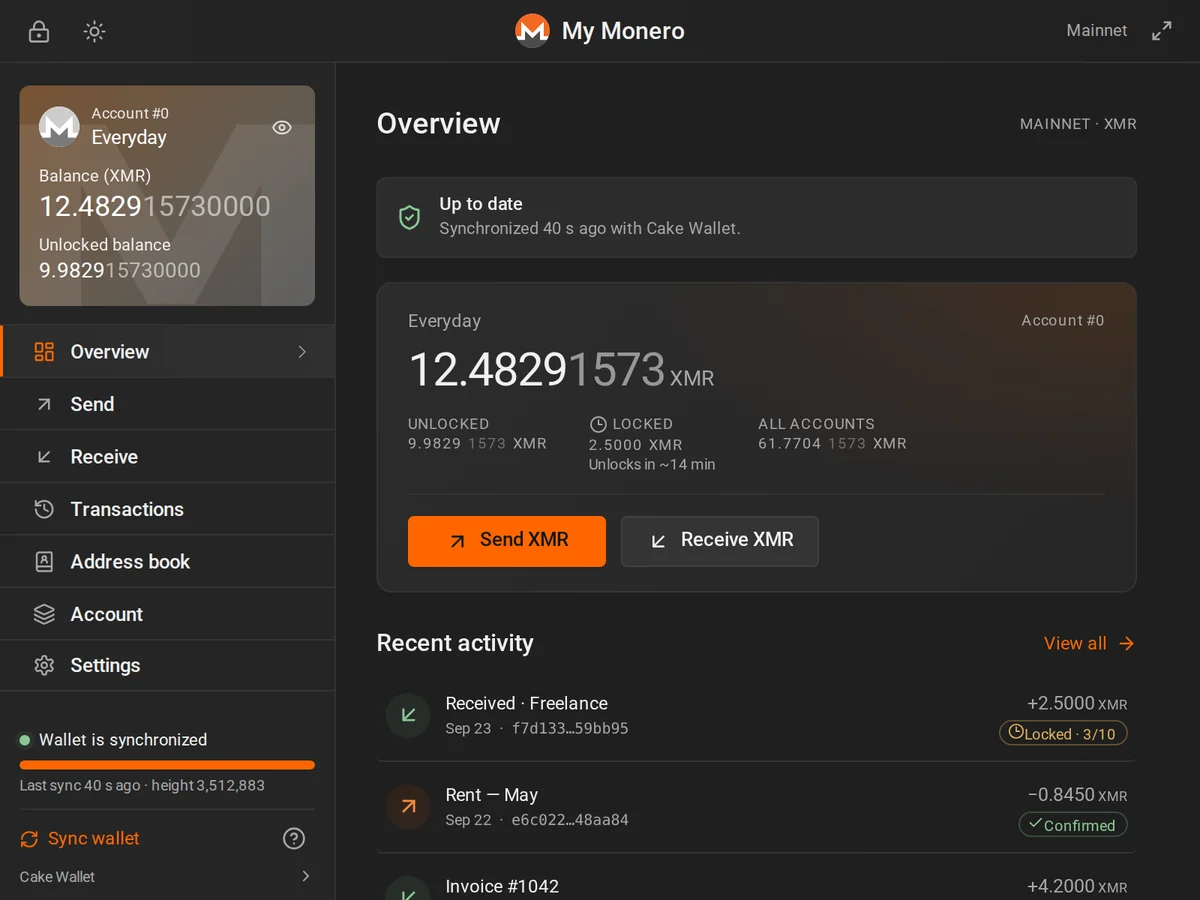
Built after the familiar Monero GUI, redesigned for a compact popup and made for people who want privacy without running a desktop app.
The Monero Project’s own C++ wallet code, compiled to WebAssembly via monero-ts, creates keys, scans blocks and signs transactions — not a simplified imitation.
Your wallet is stored in the browser with AES-256-GCM and a PBKDF2 key from your password. Nothing leaves in plain text.
Separate funds into accounts, create a fresh subaddress per payer and see the balance of every address.
Save people you pay. Contacts live inside the encrypted wallet and travel with encrypted backups.
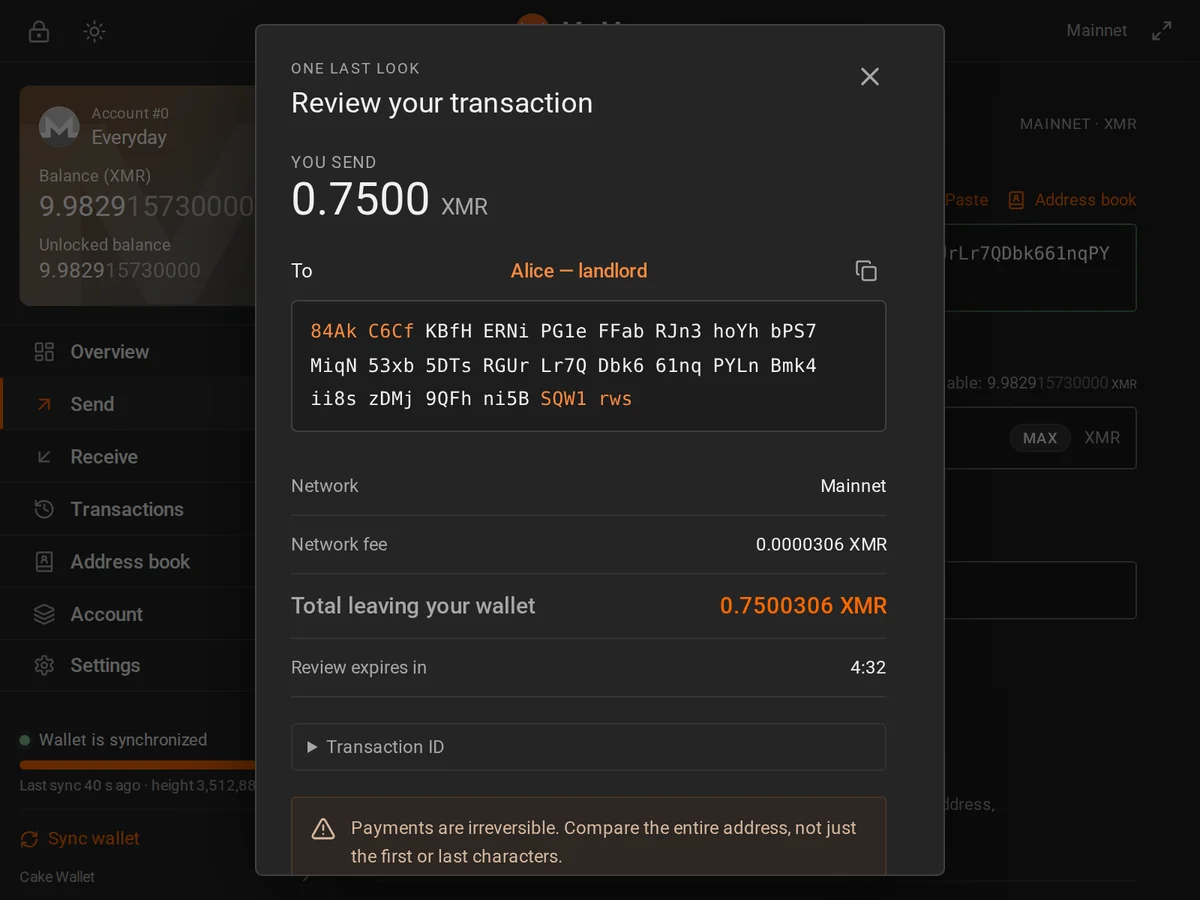
Offline address checksum checks, monero: payment links, send-max, and a review with the full address before anything is broadcast.
Sign and verify messages, and export transaction keys to prove a payment — all offline.
Pending first, grouped by day, with filters, totals, notes and a private CSV export.
Connect to your own monerod for the strongest privacy, or pick a public node. Stagenet and testnet are built in for practice.
Fast to read, keyboard friendly, dark and light themes, reduced-motion aware. Screenshots show illustrative demo data.
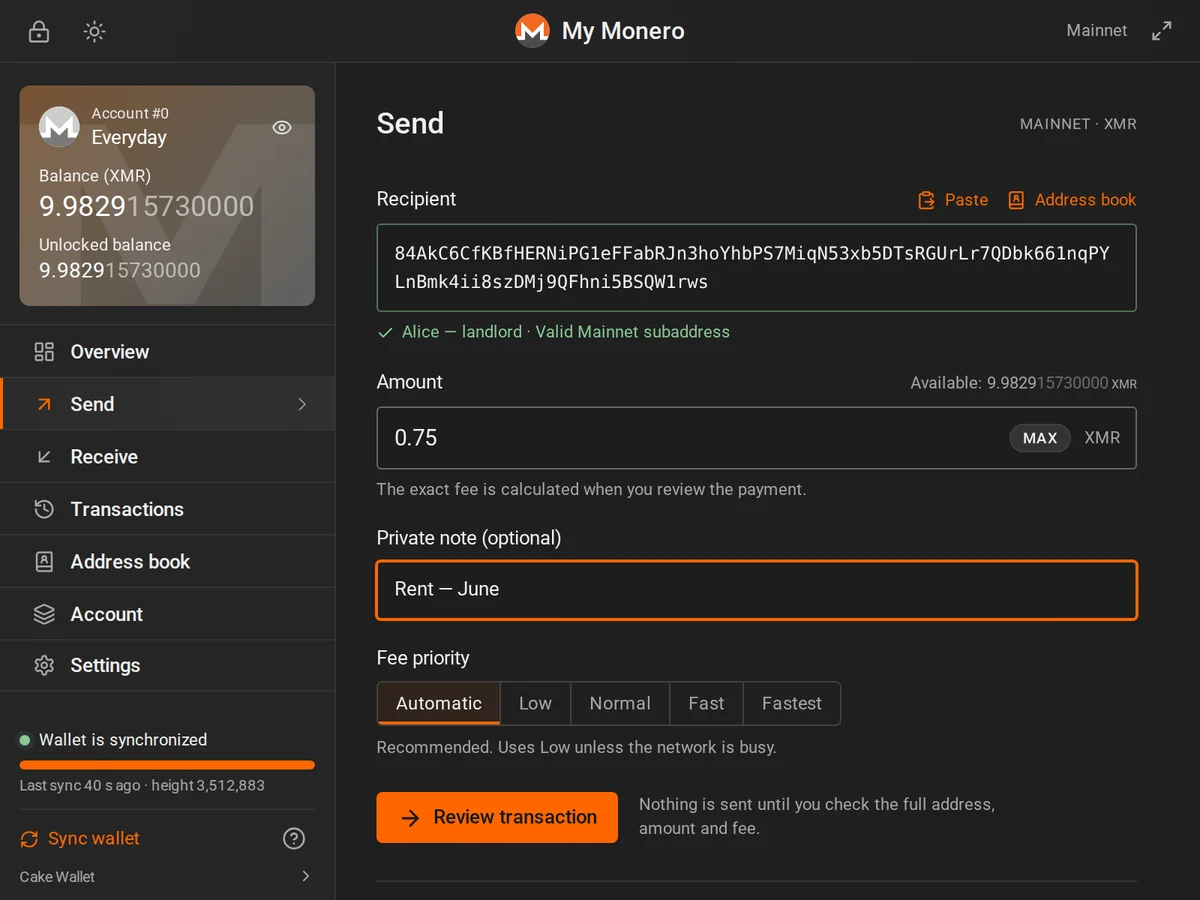
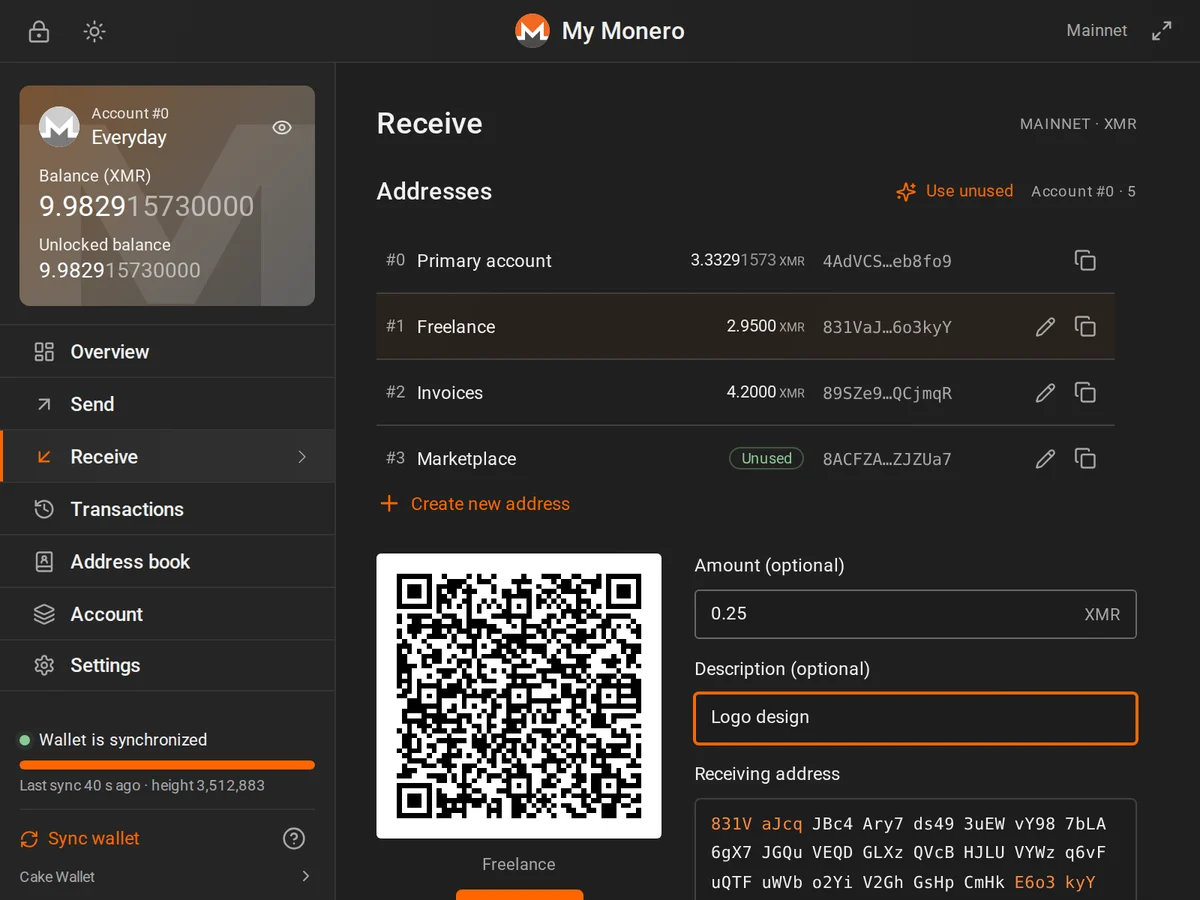
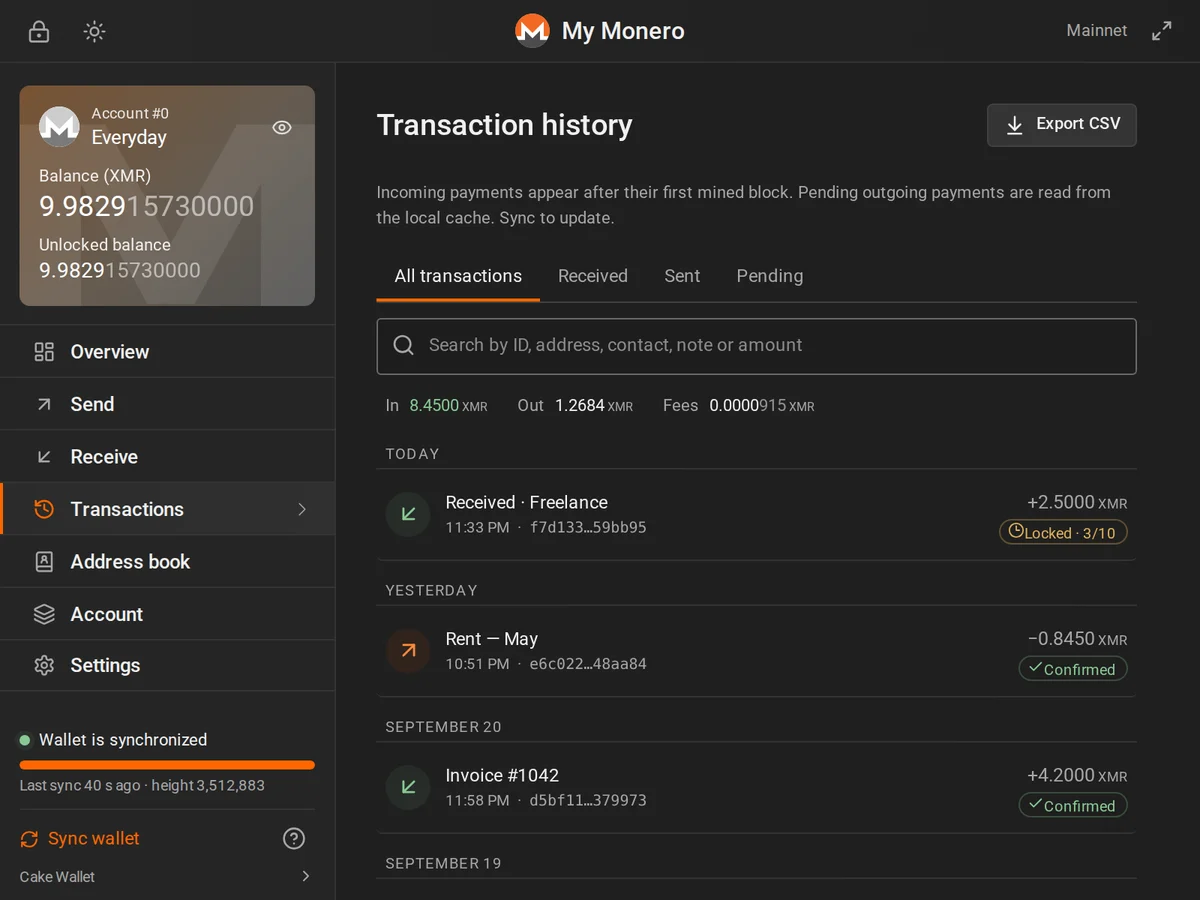
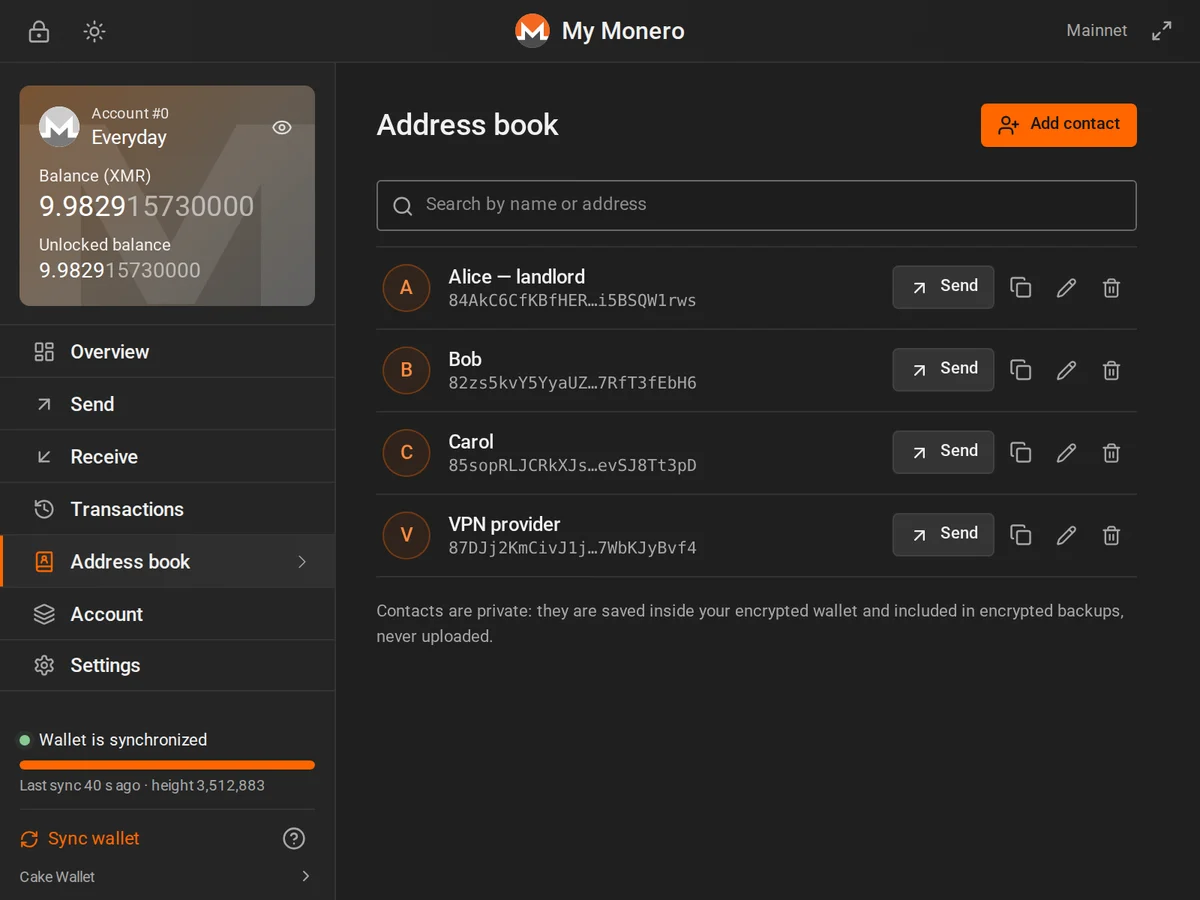
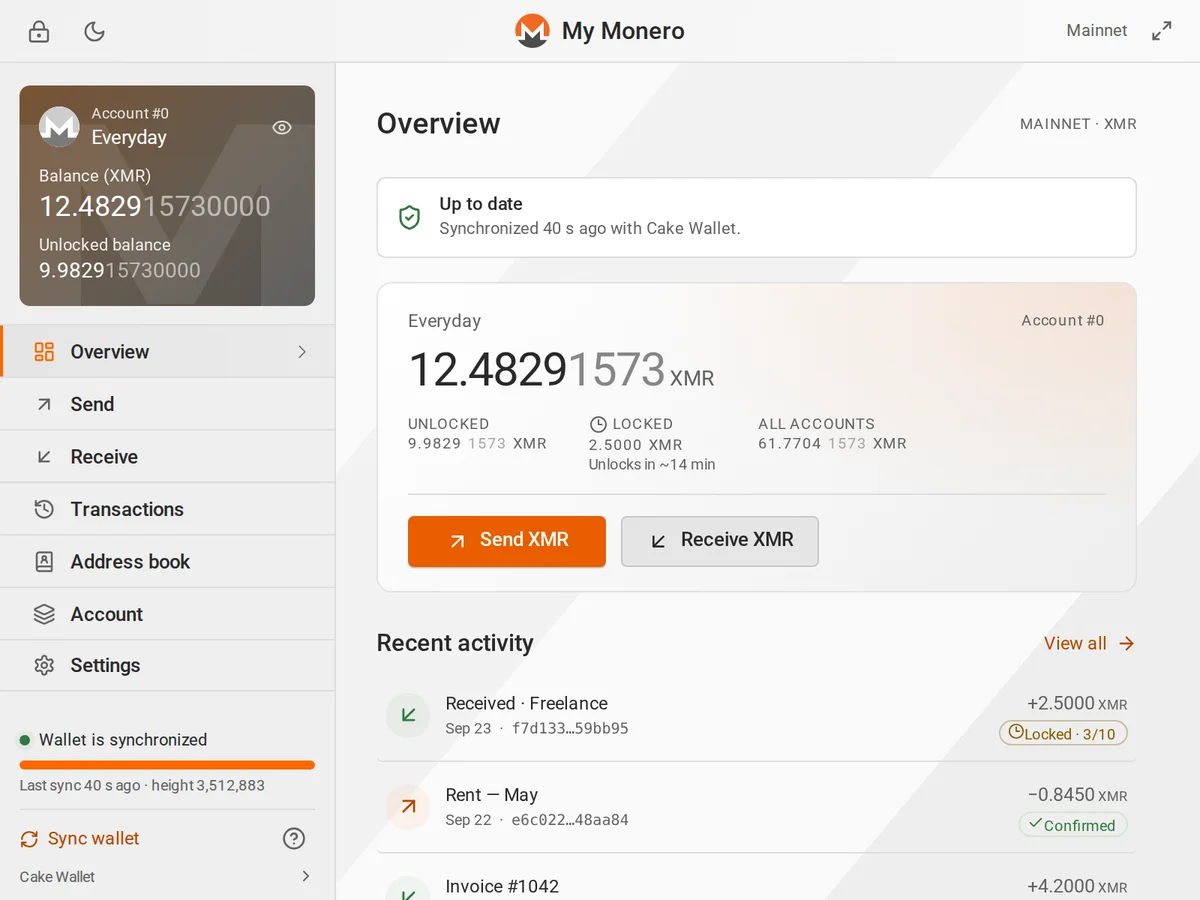
The extension is a full wallet: it downloads blocks and finds your payments itself. The node only serves public blockchain data.
A setup page creates a new 25-word recovery phrase or restores one. No network connection is made.
Pick a public node from the built-in list or add your own, such as a local monerod. Nothing connects until you explicitly allow it.
Blocks are downloaded and scanned on your device with your private view key, which never leaves it.
Payments are signed locally, shown for review, and only then broadcast. No automatic retries.
Monero hides amounts and recipients on-chain. This wallet additionally keeps your view key away from servers — unlike “light” wallets that hand it to a backend.
For more network privacy, use a VPN or Tor for your browser. Prefer HTTPS nodes: on plain HTTP nodes, your network provider can see which transactions you broadcast.
Seed and keys exist decrypted only while the wallet is unlocked, inside the extension. Locking the wallet or the auto-lock timer (1–60 minutes, 5 by default) removes them from memory.
Only the extension’s own code can run. No remote scripts, no analytics, network access only to the node you choose.
Every payment is reviewed first; drafts expire in 5 minutes and are never resent automatically, even if the popup closes.
This is an independent project without a third-party security audit. Start on stagenet and keep large savings in cold storage.
Until the store listing is available, install the unpacked extension. Verify the checksum first.
chrome://extensions and enable Developer mode.Chrome, Brave, Edge or another Chromium browser, version 120 or newer.

58401244aafc9a7178a7f43bf26002b63406c895063b2dd1e134873c790b91faNo. It is an independent open-source project built on the monero-ts library. It is not affiliated with or endorsed by the Monero Project.
Never. The wallet is non-custodial: keys are created and stored encrypted on your device. We run no servers that receive wallet data.
There is no password reset. Restore the wallet from your 25-word recovery phrase, or import an encrypted backup with its password.
Chrome deletes the extension’s storage, including saved wallets. Keep your recovery phrase offline and an encrypted backup before removing it.
Yes. In Settings → Node, add your node’s address, for example http://127.0.0.1:18081 for a local monerod. Chrome asks for access to that one address. Your own node is the most private option: no third party sees your IP address or your transactions.
No. Hardware wallets, multisig, cold signing and OpenAlias are not supported.
Any browser wallet is a hot wallet. The code is not independently audited. Use it for everyday amounts and keep savings in cold storage.